PromptShield AI – An AI Cost & Risk Firewall Built with Xano

This is a submission for the Xano AI-Powered Backend Challenge: Full-Stack, AI-First Application
PromptShield AI – An AI Cost & Risk Firewall for LLM Applications
As teams rapidly build agentic apps and AI-powered features, one problem shows up almost immediately:
LLM costs explode, usage becomes opaque, and there are no guardrails.
Developers lack:
- Per-user and per-feature budgets
- Visibility into token and cost usage
- Protection against risky prompts (PII, secrets)
- Smart routing to cheaper models when budgets are exceeded
PromptShield AI solves this by acting as an intelligent backend control plane that sits between applications and LLM providers.
It enforces:
- Cost budgets (tenant / user / feature)
- Usage analytics and spend visibility
- Safety and routing policies
- Multi-provider cost control
The result is a production-ready AI infrastructure backend, not just a wrapper around LLM APIs.
🧱 Architecture Overview
- Backend: Xano (Postgres, APIs, background jobs, AI workflows)
- Frontend: Lovable.dev (low-code SaaS dashboard)
- AI-first approach: Backend generated with AI, refined by hand
- Public API + Admin UI: Production-ready by design
🎬 Demo
🔗 Live Application:
https://promptshield.lovable.app/
💻 Source Code (GitHub):
https://github.com/Manikant92/promptshield_ai
🎥 Demo Walkthrough Video:
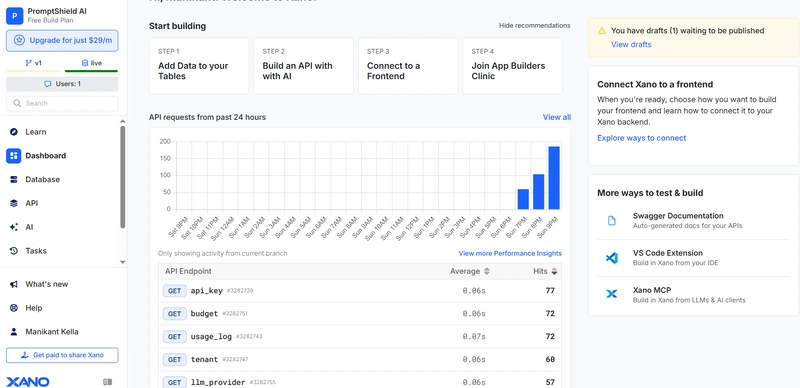
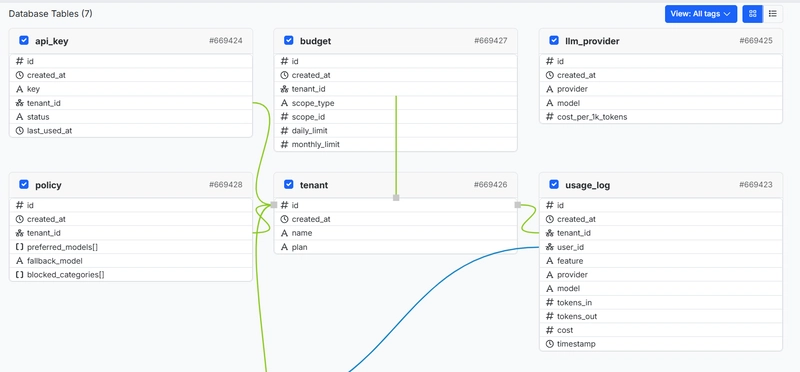
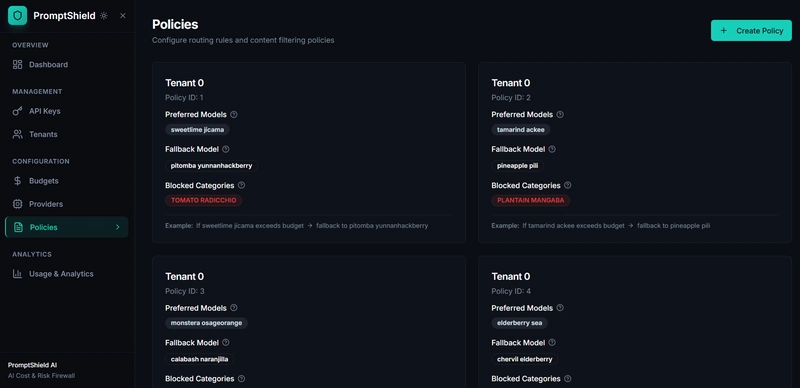
📸 Product Screenshots
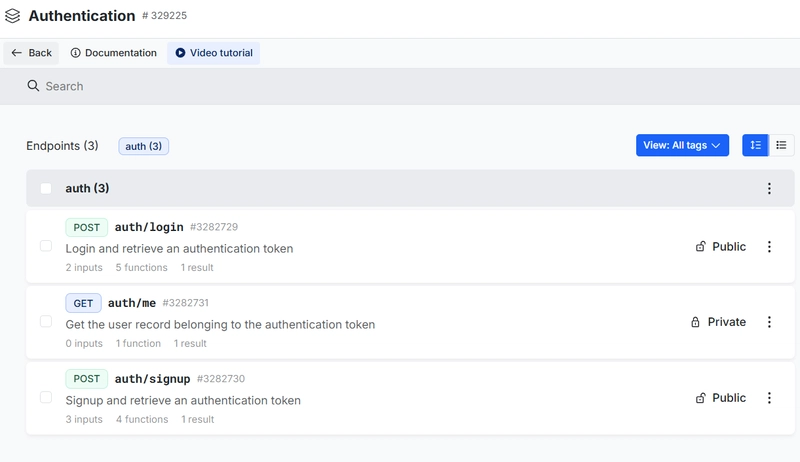
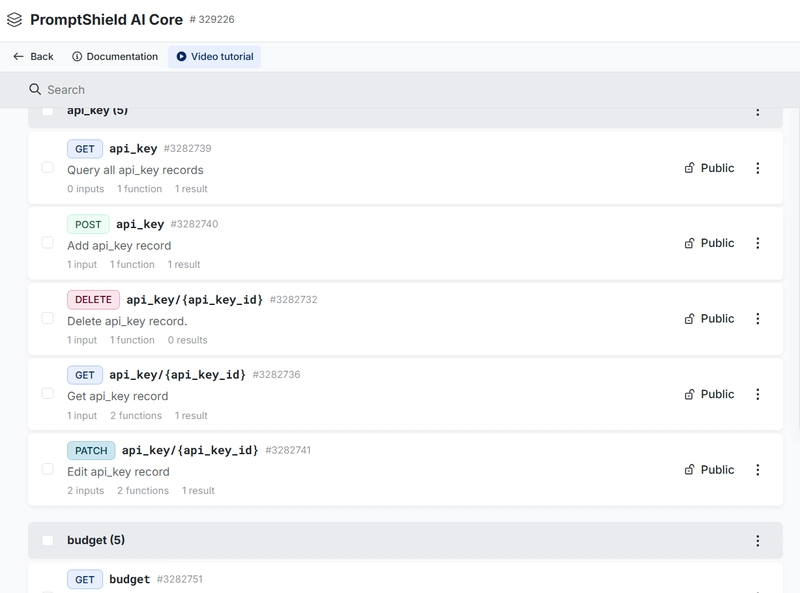
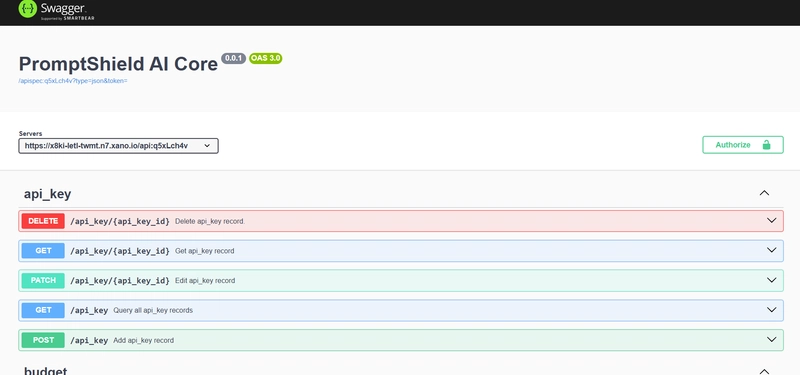
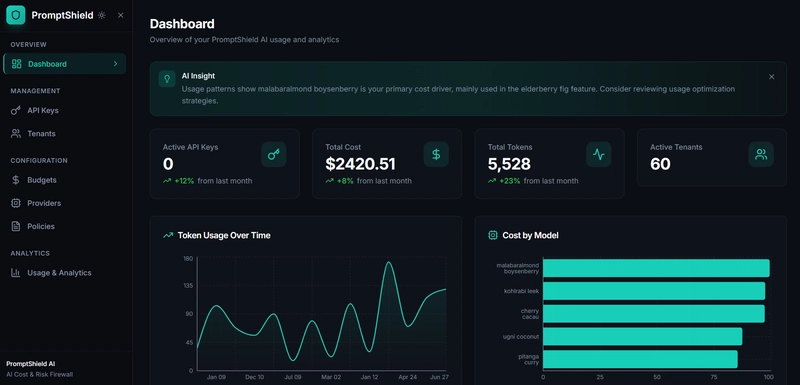
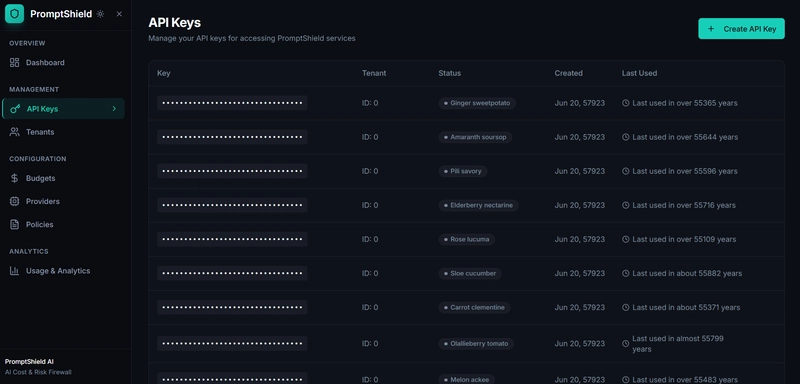
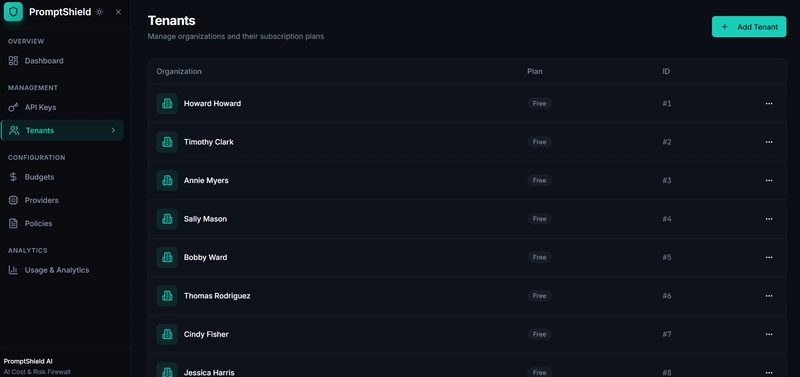
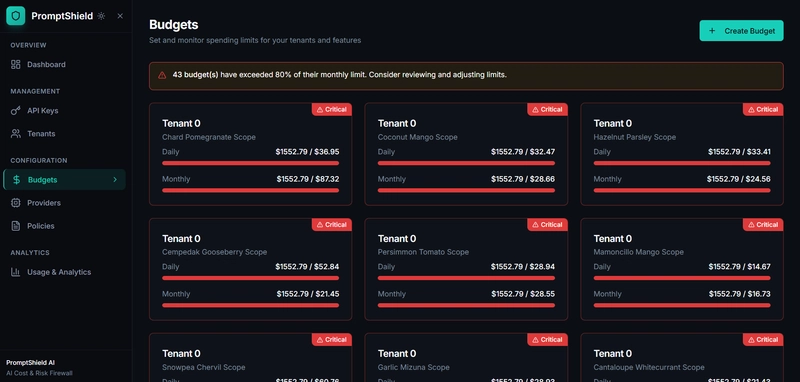
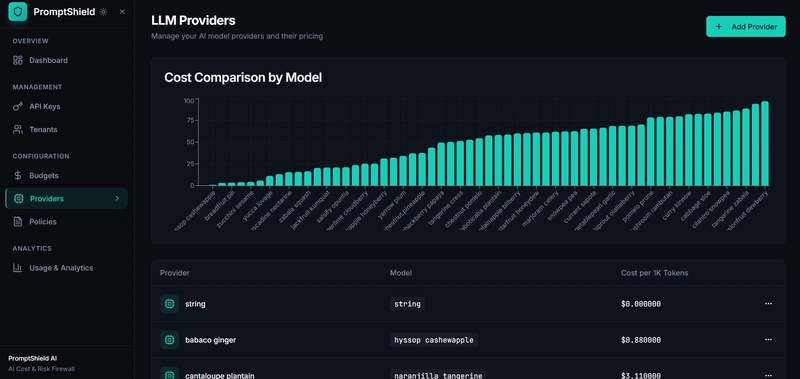
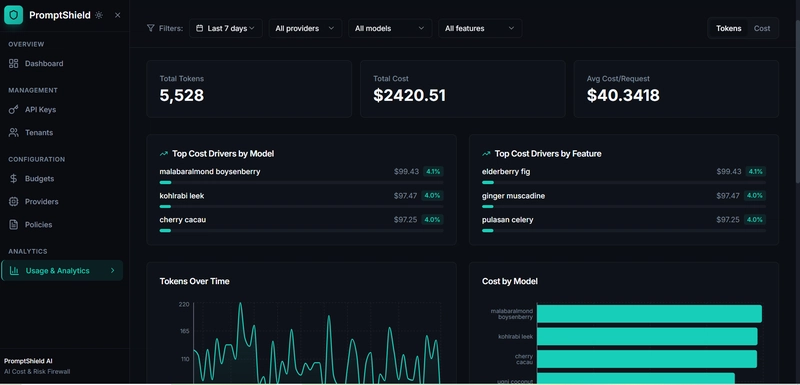
🔎 Swagger / Public API:
https://x8ki-letl-twmt.n7.xano.io/api:q5xLch4v
The dashboard shows real API keys, budgets, policies, providers, and usage analytics powered entirely by Xano.
🧠 The AI Prompt I Used (Backend Generation)
All backend workflows, API definitions, and schema refinements are tracked in the GitHub repository below for transparency and reproducibility:
👉 https://github.com/Manikant92/promptshield_ai
I used XanoScript with an AI-first workflow to generate the initial backend.
Below is the original prompt used to bootstrap the system:
You are an expert backend architect building a production-ready, multi-tenant AI infrastructure backend using Xano.

Build a backend called "PromptShield AI" — an AI Cost & Risk Firewall that sits between applications and multiple LLM providers (OpenAI, Anthropic, etc.) to enforce budgets, rate limits, and safety policies before requests reach the LLM.

The backend must be secure, scalable, and suitable for public API consumption.


Create the initial backend for PromptShield AI with the following requirements:

1. Core Concept
PromptShield AI acts as a proxy API for LLM calls. Applications send standard chat/completion payloads to PromptShield, which enforces usage policies, budgets, and risk checks before forwarding requests to LLM providers.

2. Database Schema (Postgres)
Design tables for:
- tenants (org_id, name, plan, created_at)
- api_keys (key, tenant_id, status, last_used_at)
- users (user_id, tenant_id, role)
- llm_providers (provider, model, cost_per_1k_tokens)
- usage_logs (tenant_id, user_id, feature, provider, model, tokens_in, tokens_out, cost, timestamp)
- budgets (tenant_id, scope_type [tenant/user/feature], scope_id, daily_limit, monthly_limit)
- policies (tenant_id, preferred_models, fallback_model, blocked_categories)

3. API Endpoints
Create the following APIs:

POST /llm/proxy
- Accepts OpenAI-compatible chat/completion payload
- Authenticates using API key
- Identifies tenant, user, and feature
- Performs budget checks and policy enforcement
- Routes request to the selected LLM provider
- Logs token usage and cost

POST /limits/configure
- Allows tenants to define per-user, per-feature, or per-tenant budgets
- Supports daily and monthly limits

GET /usage/summary
- Returns aggregated usage by tenant, user, feature, and model
- Optimized for dashboards

4. AI Logic
Use AI workflows to:
- Classify prompts for risky categories (PII, secrets, unsafe content)
- Block or redact requests that violate policy
- Automatically downgrade to cheaper models when nearing budget limits
- Detect anomalous usage spikes (e.g., sudden 10x increase)

5. Background Jobs
- Aggregate daily and monthly usage
- Recalculate remaining budgets
- Run anomaly detection periodically

6. Security & Scalability
- Multi-tenant isolation
- Rate limiting per API key
- Clean error responses
- Extensible provider abstraction

7. Output
Generate:
- Database tables
- API endpoint logic
- AI workflows
- Background jobs
Use clean, maintainable naming and comments suitable for a production backend.

Do NOT generate frontend code.
Focus entirely on the backend implementation in Xano.
This prompt allowed AI to quickly generate a solid baseline backend, which I then refined heavily inside Xano.
## 🛠️ How I Refined the AI-Generated Backend in Xano

AI gave me a starting point — **human refinement made it production-ready**.

### Key Improvements I Made in Xano

#### 🔐 Security & Multi-Tenancy
- Introduced tenant isolation across all tables
- Added API key lifecycle management (create, revoke, rotate)
- Hardened error handling and rate limits

#### 💰 Cost & Budget Enforcement
- Added scoped budgets (tenant / user / feature)
- Implemented background aggregation jobs for daily & monthly usage
- Enabled budget thresholds and warning states

#### 🧠 AI Logic Enhancements
- Added prompt classification for risky categories (PII, secrets)
- Implemented policy-based model fallback when budgets are exceeded
- Designed provider abstraction for future expansion

#### 📊 Observability & Analytics
- Normalized usage logs for dashboards
- Enabled cost-by-model and cost-by-feature views
- Optimized APIs for frontend consumption
Before: AI-generated CRUD-style endpoints
After: A scalable, secure AI infrastructure backend suitable for real-world use
🎨 Frontend: Turning APIs into a Product
I connected the Xano backend to Lovable.dev to build a clean, enterprise-style dashboard.
The UI allows users to:
- Manage API keys securely
- Define and monitor budgets
- Configure routing and safety policies
- Analyze token and cost usage with filters and charts
This step demonstrated how Xano’s backend capabilities translate directly into product value.
🚀 My Experience with Xano
What I Loved
- AI + Human workflow: AI for speed, Xano for control
- Background jobs: Perfect for cost aggregation and analytics
- Clean API design: Easy to connect to any frontend
- Production mindset: Xano encourages scalable patterns by default
Challenges
- Thinking through multi-tenant isolation correctly (worth the effort)
- Designing APIs that balance flexibility and simplicity
Overall, Xano made it incredibly easy to go from idea → AI-generated backend → production-grade system in a very short time.
🏁 Final Thoughts
PromptShield AI is not just a demo — it’s a realistic example of how AI-assisted backend development, combined with thoughtful human refinement, can produce scalable, secure, and maintainable systems.
Xano was the perfect platform to bring this idea to life.
Thanks for checking it out! 🚀