
PDF Power-Up: Merge, Reorder, and Decrypt PDFs with a Local Python App

Keep your data and privacy 🔐, merge your PDF’s on your laptop
Introduction
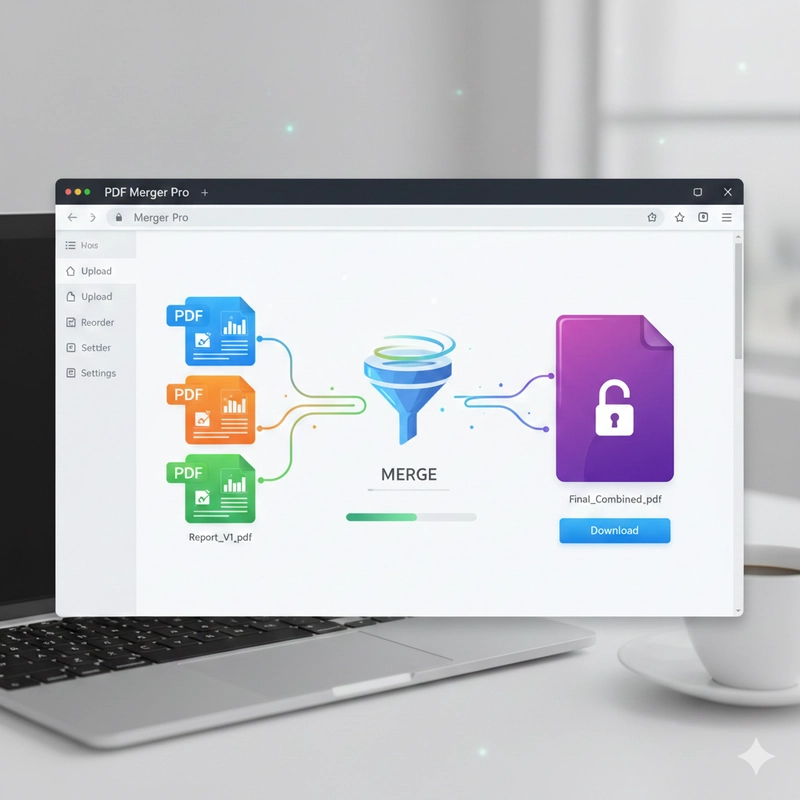
I share my dilemma! Many of us have faced the need to quickly combine multiple PDF documents only to pause and wonder about the security and privacy implications of uploading sensitive files to a random website. The concern deepens when you encounter password-protected documents, forcing you to reveal login credentials to an unknown third-party service just to get the job done. Feeling this exact apprehension, and preferring a local, trustworthy, and feature-rich solution, I decided to take control and write my own customizable PDF merger application.
The Code 🆓
Without further talks, I provide the code, which is available on my public github repository and anyone can adapt to their own needs.
- Prepare your virtual environment 🟦
python3 -m venv venv
source venv/bin/activate

pip install --upgrade pip
- Install the required packages
pip install streamlit PyPDF2 watchdog streamlit-sortables
# or
pip install -r requirements.txt
- Requirements
streamlit
PyPDF2
watchdog
streamlit-sortables
- And finally the code with Streamlit for the GUI ⬇️
# pdf_merger_ST_VPW.py
import streamlit as st
import os
from PyPDF2 import PdfMerger, PdfReader
from io import BytesIO
from streamlit_sortables import sort_items

st.set_page_config(
    page_title="PDF Merger App",
    page_icon="📄",
    layout="centered"
)

st.title("🔐 PDF Merger App")
st.markdown("""
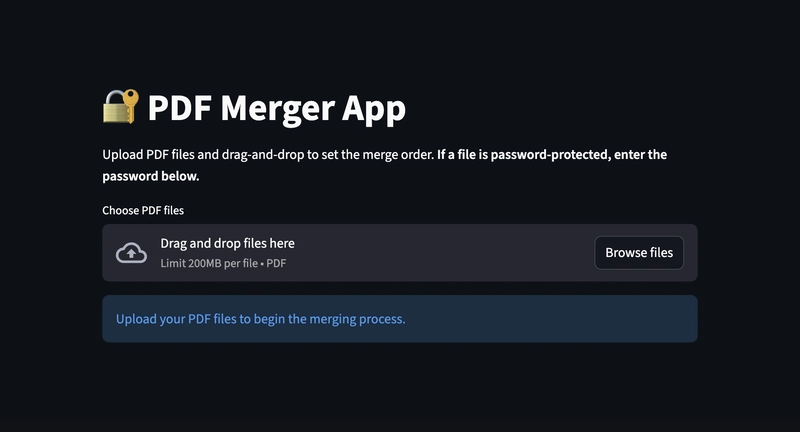
    Upload PDF files and drag-and-drop to set the merge order.
    **If a file is password-protected, enter the password below.**
""")

def merge_pdfs_streamlit(ordered_file_data, password_map, output_filename="merged_output.pdf"):
    """
    Merges file-like objects, handling password-protected files via the password_map.

    Args:
        ordered_file_data (list): A list of dictionaries containing the file name and the file object.
        password_map (dict): A map of filename -> password for protected files.

    Returns:
        tuple: (bool, BytesIO object or error message)
    """
    if not ordered_file_data:
        return False, "Please upload and order at least one PDF file."

    merger = PdfMerger()
    successful_merges = 0

    for item in ordered_file_data:
        file = item['file_object']
        file_name = item['label']

        if file.type == "application/pdf":
            try:
                file.seek(0)

                file_buffer = BytesIO(file.read())
                pdf_reader = PdfReader(file_buffer)

                if pdf_reader.is_encrypted:
                    password = password_map.get(file_name)

                    if password:
                        decryption_result = pdf_reader.decrypt(password)

                        if decryption_result == 1: # Success
                            st.info(f"🔑 Decrypted **{file_name}** successfully.")
                        elif decryption_result == 0: # Already decrypted (shouldn't happen here)
                            pass
                        elif decryption_result == -1: # Failed
                            st.error(f"❌ Failed to decrypt **{file_name}**. Password incorrect or file corrupted. Skipping file.")
                            continue # Skip this file and move to the next one
                    else:
                        st.error(f"🔒 **{file_name}** is password-protected. Please provide the password above to include it in the merge. Skipping file.")
                        continue # Skip this file


                merger.append(pdf_reader)
                successful_merges += 1

            except Exception as e:
                st.error(f"Skipped file '{file_name}' due to a critical read error: {e}")
        else:
             st.warning(f"Skipped file '{file_name}' because it is not a valid PDF.")

    if successful_merges == 0:
        merger.close()
        return False, "No valid PDF files were successfully processed."

    # Create an in-memory byte buffer to hold the merged PDF (which will not be encrypted)
    output_buffer = BytesIO()

    try:
        merger.write(output_buffer)
        output_buffer.seek(0)
        return True, output_buffer
    except Exception as e:
        return False, f"Error writing merged file: {e}"
    finally:
        merger.close()

# --- Streamlit UI Implementation ---

if 'uploaded_files_map' not in st.session_state:
    st.session_state.uploaded_files_map = {}

uploaded_files = st.file_uploader(
    "1. Choose PDF files",
    type="pdf",
    accept_multiple_files=True
)

if uploaded_files:
    current_names = set(f.name for f in uploaded_files)
    if current_names != set(st.session_state.uploaded_files_map.keys()):
        st.session_state.uploaded_files_map = {}
        for file in uploaded_files:
            st.session_state.uploaded_files_map[file.name] = file

    if st.session_state.uploaded_files_map:
        st.subheader("2. Password Input (If Needed)")
        password_map = {}

        for name in sorted(st.session_state.uploaded_files_map.keys()):
            password = st.text_input(
                f"Password for **{name}** (Leave blank if not protected)",
                type="password",
                key=f"password_{name}"
            )
            if password:
                password_map[name] = password

        st.subheader("3. Drag-and-Drop to Reorder")
        st.info("Drag the items to set the desired merge sequence (top-to-bottom).")

        initial_items = list(st.session_state.uploaded_files_map.keys())

        reordered_names = sort_items(
            items=initial_items,
            key="pdf_list_key"
        )

        st.subheader("4. Finalize and Merge")

        default_name = "merged_documents.pdf"
        if reordered_names:
            base_name = reordered_names[0].replace('.pdf', '')
            default_name = f"{base_name}_merged.pdf"

        output_name = st.text_input(
            "Enter output file name (e.g., final_report.pdf)",
            value=default_name,
            help="The output file will **not** be password-protected."
        )

        if st.button("✨ Execute Merge"):
            if not reordered_names:
                st.warning("Please upload files or ensure the list is not empty.")
            elif not output_name.lower().endswith('.pdf'):
                st.error("The output filename must end with **.pdf**")
            else:
                ordered_file_data = []
                for name in reordered_names:
                    ordered_file_data.append({
                        'label': name,
                        'file_object': st.session_state.uploaded_files_map[name]
                    })

                with st.spinner('Processing and Merging your PDF files...'):
                    success, result = merge_pdfs_streamlit(ordered_file_data, password_map, output_name)

                if success:
                    st.success(f"✅ Success! Merged {len(ordered_file_data)} PDF files. The final file is decrypted.")

                    st.download_button(
                        label="⬇️ Download Merged PDF",
                        data=result,
                        file_name=output_name,
                        mime="application/pdf"
                    )
                    st.balloons()
                else:
                    st.error(f"❌ Merge failed: {result}")

else:
    st.info("Upload your PDF files to begin the merging process.")
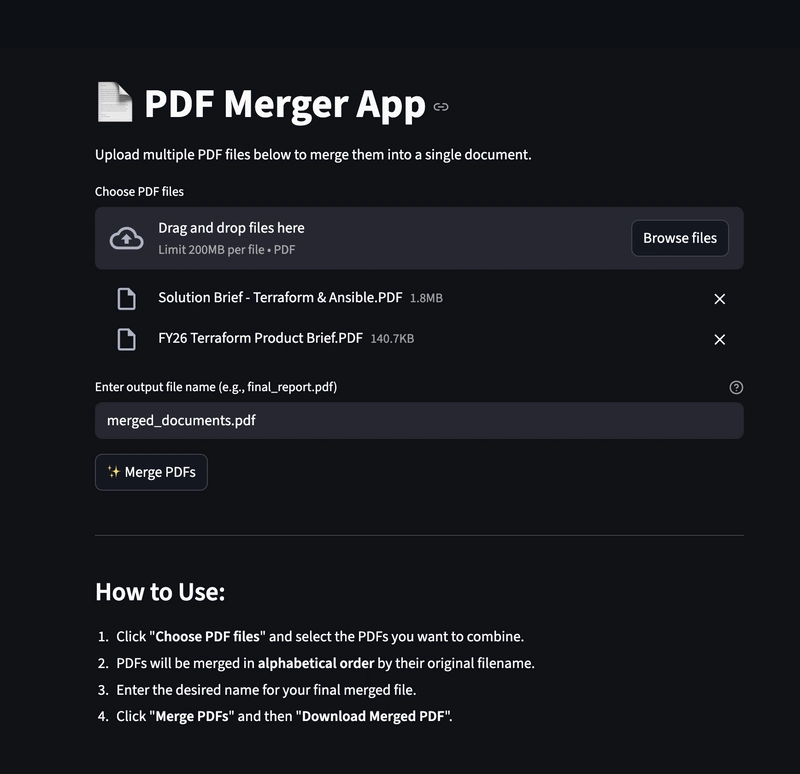
- I also have a more basic console based application which could process all PDF files from a given folder. I provide also the code below, but it has less sophisticated features.
# pdf_merger_2.py
import os
from PyPDF2 import PdfMerger, PdfReader

def merge_pdfs_in_directory(input_folder, output_folder, output_filename="merged_output.pdf"):
    """
    Recursively finds all PDF files in the input_folder and merges them
    into a single PDF file in the output_folder.

    Args:
        input_folder (str): The path to the folder containing PDF files.
        output_folder (str): The path to the folder where the merged PDF will be saved.
        output_filename (str): The name of the merged PDF file.
    """
    if not os.path.exists(input_folder):
        print(f"Error: Input folder '{input_folder}' does not exist.")
        return

    if not os.path.exists(output_folder):
        os.makedirs(output_folder)
        print(f"Created output folder: '{output_folder}'")

    merger = PdfMerger()
    pdf_files_found = []

    for root, _, files in os.walk(input_folder):
        for file in files:
            if file.lower().endswith('.pdf'):
                filepath = os.path.join(root, file)
                pdf_files_found.append(filepath)

    if not pdf_files_found:
        print(f"No PDF files found in '{input_folder}' and its subdirectories.")
        return

    pdf_files_found.sort()

    print(f"Found {len(pdf_files_found)} PDF files to merge:")
    for pdf_file in pdf_files_found:
        print(f"- {pdf_file}")
        try:
            with open(pdf_file, 'rb') as f:
                merger.append(PdfReader(f))
        except Exception as e:
            print(f"Error appending {pdf_file}: {e}")

    output_filepath = os.path.join(output_folder, output_filename)

    try:
        with open(output_filepath, 'wb') as output_file:
            merger.write(output_file)
        print(f"nSuccessfully merged PDF files to: '{output_filepath}'")
    except Exception as e:
        print(f"Error writing merged file: {e}")
    finally:
        merger.close()

if __name__ == "__main__":
    script_dir = os.path.dirname(os.path.abspath(__file__))
    input_folder_name = "input"
    output_folder_name = "output"

    input_path = os.path.join(script_dir, input_folder_name)
    output_path = os.path.join(script_dir, output_folder_name)

    # Example Usage:
    # 1. Create an 'input' folder in the same directory as this script.
    # 2. Place some PDF files (and even subfolders with PDFs) inside the 'input' folder.
    # 3. Run this script.
    # The merged PDF will be created in the 'output' folder.
    merge_pdfs_in_directory(input_path, output_path, "all_merged_documents.pdf")
Conclusion
In conclusion, the Streamlit PDF Merger application is a local, and privacy-focused solution designed to address the genuine concerns of handling sensitive documents online. By offering drag-and-drop reordering, it guarantees that your final merged document follows your precise specifications. Crucially, its ability to decrypt and remove password protection from source files before merging eliminates the need to trust proprietary online services with your credentials. This application empowers you with a secure, customizable, and completely self-hosted tool, transforming a tedious and potentially risky task into a straightforward, efficient process right on your desktop.
Link
- The application’s GitHub repository: https://github.com/aairom/pdfmerger
