Deploy Buttons Generator Beautiful Deployment Badges for Your GitHub Repos

Ever spent time searching for the right deployment button badges for your GitHub repository?
Or worse, manually writing Markdown or HTML for each platform? I’ve built a fun simple tool that solves this problem!
The Problem: Manual Badges Are Tedious
As developers, we want to make it easy for others to deploy our projects. Deployment buttons (those beautiful badges that say “Deploy to Netlify”, “Deploy to Vercel”, etc.) are essential for this. But creating them manually is time-consuming:
- finding the correct button SVG/image URL for each platform
- You need the correct deployment URL structure
- You have to write both Markdown and HTML versions
- You need to update them if the repo URL changes
The Solution: One-Click Deployment Button Generation
Deploy Buttons Generator automates this entire process. Simply enter your GitHub username and repository name, and instantly get deployment buttons for 12 popular platforms:
- Netlify
- Vercel
- Heroku
- Railway
- Render
- DigitalOcean
- Cloudflare Workers
- CodeSandbox
- StackBlitz
- Glitch
- Firebase Hosting
- Replit
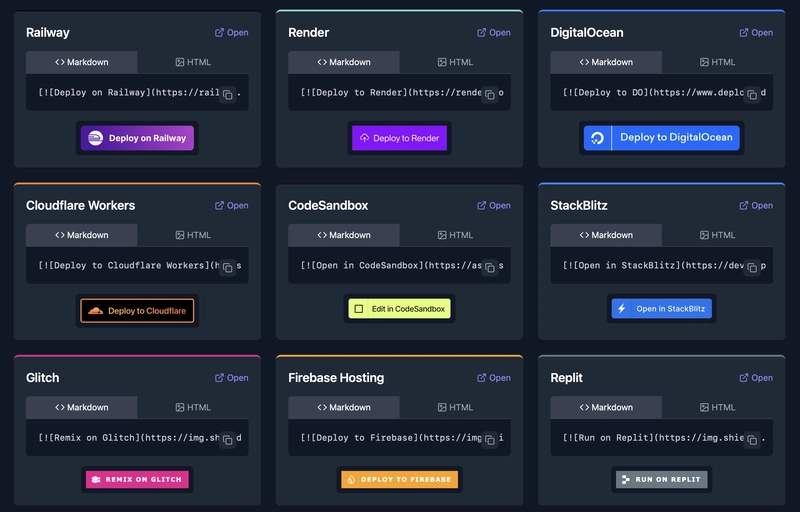
How It Works
incredibly simple
-
Enter your GitHub username
-
Enter your repository name
-
Click “Generate Buttons”
That’s it! The tool generates beautifully formatted deployment buttons for all supported platforms in both Markdown and HTML formats.
Example Output
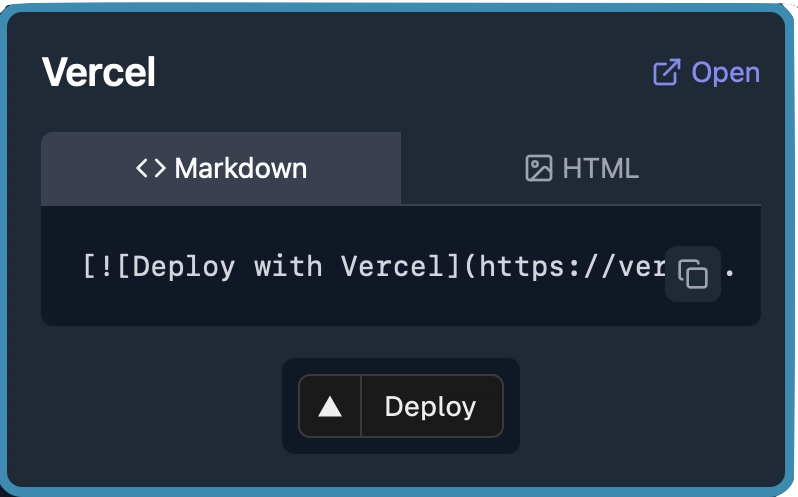
For the Vercel deploy button, you’ll get both formats:
Markdown Format
[](https://vercel.com/new/clone?repository-url=https://github.com/sudo-self/link-in-bio)
HTML Format
<a href="https://vercel.com/new/clone?repository-url=https://github.com/sudo-self/link-in-bio" target="_blank">
  <img src="https://vercel.com/button" alt="Deploy with Vercel">
</a>
Rendered Result

A few versions out there. Free to use and free of spam and junk…
The source code is also avaliable sudo-self/deploybuttons.
Stay Creative!