CKA (Certified Kubernetes Administrator) Exam Report 2026: Don’t Rely on Old Guides (Mastering the Post-2025 Revision)

Despite being active as an AWS Community Builder (Containers) and a Docker Captain, for some reason, I had never really touched Kubernetes before. So, starting in November 2025, I began studying for 1-2 hours on weekdays outside of work.
I am the type of person who finds it easier to solidify foundational knowledge when I have a specific goal like a certification, so I decided to aim for the Certified Kubernetes Administrator (CKA) first.
Certified Kubernetes Administrator (CKA)
Why I am writing this article
If you search for “CKA Pass” you will find many experience reports. However, there are still not many articles written after the exam scope revision in February 2025. Having actually taken the exam, I felt that the “sense of difficulty” and “essential techniques” mentioned in older reports are no longer entirely applicable. I wrote this article as a reference for those who are planning to take the exam in the future.
Exam Results
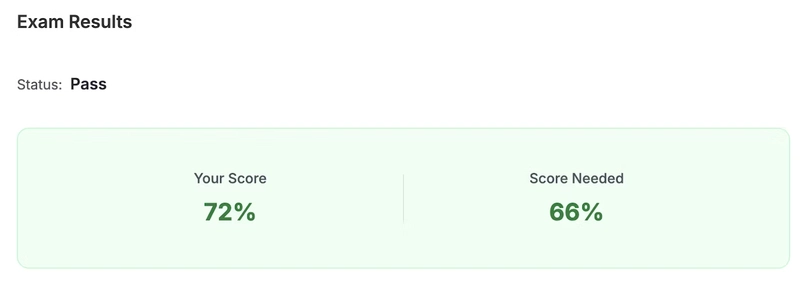
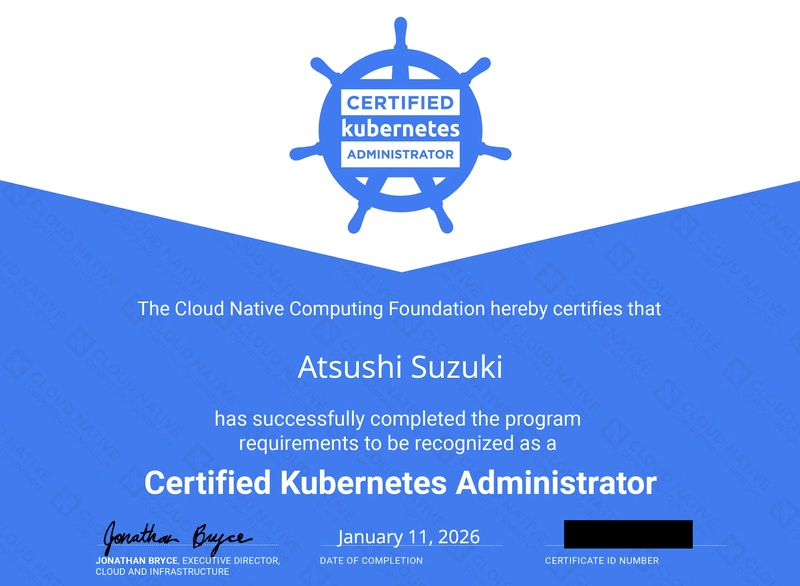
I passed with a score of 72% (passing score is 66%). It was my first time taking a hands-on practical exam, and compared to multiple-choice exams, I felt constantly rushed—I couldn’t stop sweating. I didn’t finish everything within the time limit and didn’t have time to go back to the troubleshooting questions I had flagged.
- Exam Date: 2026/01/11 13:30~
- Location: Private room in a co-working space
- Kubernetes Version: v1.34
- Device: MacBook Air (2022, M2, 13.6-inch)
Impressions of the New Exam Scope (Post-Feb 2025) and Difficulty
To be honest, I felt it was significantly more difficult than the image I had from older experience reports. My personal impression was that it felt about as challenging as the “Killer Shell” simulator (mentioned later).
Below is the revised exam scope, and I felt that questions related to the newly added content made up about half of the exam.
CKA Program Changes – Feb 2025
While I cannot provide specific details about the questions, you will likely struggle if your understanding of the following newly added topics is weak:
- Helm
- Kustomize
- Gateway API (Gateway, HttpRoute, etc.)
- Network Policy
- CRDs (Custom Resource Definitions)
- Extension interfaces (CNI, CSI, CRI, etc.)
Learning Resources Used
I used Udemy, KodeKloud, and Killer Shell.
Many reports from before the revision said that Udemy and Killer Shell were enough, but my personal feeling is that I was only able to put up a fight because I went as far as doing the additional labs on KodeKloud.
Udemy
This is the standard Udemy course recommended in almost every report. I bought it during one of their frequent sales.
Certified Kubernetes Administrator (CKA) Practice Exam Tests
The course consists of video lectures and practice tests (hosted on a separate service called KodeKloud). Since my Kubernetes knowledge was literally zero, I studied each component through the videos before attempting the practice tests.
I went through the lectures once and repeated the practice questions I didn’t understand multiple times (up to 4 times). For my weak areas (Helm, Kustomize, Gateway API, CRD), I re-watched the lectures several times.
Once I could solve over 80% of the practice questions, I tackled the three Mock Exams in the final section until I could solve them perfectly (up to 4 rounds for some).
For explanations I didn’t quite understand, I asked AI for help.
KodeKloud
This is the KodeKloud platform included with the Udemy course:
Certified Kubernetes Administrator (CKA)
Since having only three Mock Exams felt a bit uncertain, I paid for the following course to solve five additional Mock Exams:
Ultimate Certified Kubernetes Administrator (CKA) Mock Exam Series
Killer Shell
When you register for the exam, you get two sessions of the “Killer Shell” exam simulator.
It uses the same Remote Desktop environment as the actual exam, so you should absolutely use it to get used to the interface. In my case, since I took the exam on a MacBook, the shortcut keys for commands change in the Remote Desktop, so I was able to practice copy-pasting in the simulator.
Note that the simulator access is provided twice, and each session expires after 36 hours. If you want to review after it expires, it’s better to save the answer pages as PDF or HTML.
Tips
No need to add settings to .bashrc
Common tips in older reports, such as “aliases for switching namespaces,” are no longer necessary. This is because the current exam format involves using ssh to switch between different environments for each task.
Memorize the Documentation URL
The browser doesn’t automatically open to the documentation page when the exam starts, so make sure you can quickly navigate to https://kubernetes.io/docs.
Learn Copy-Paste Shortcuts for Remote Desktop
Whether or not you can copy-paste quickly can make or break your pass/fail result. Practice the operations on Killer Shell.
-
Copy (Terminal):
Ctrl + Shift + C -
Paste (Terminal):
Ctrl + Shift + V
Prepare for Applied Questions
Don’t just memorize each component; imagine how they combine with others. Simply “memorizing Helm commands” might not be enough for some of the harder questions.
- Helm + CRD
- Migration from Ingress → Gateway + HttpRoute, etc.
Exam Environment
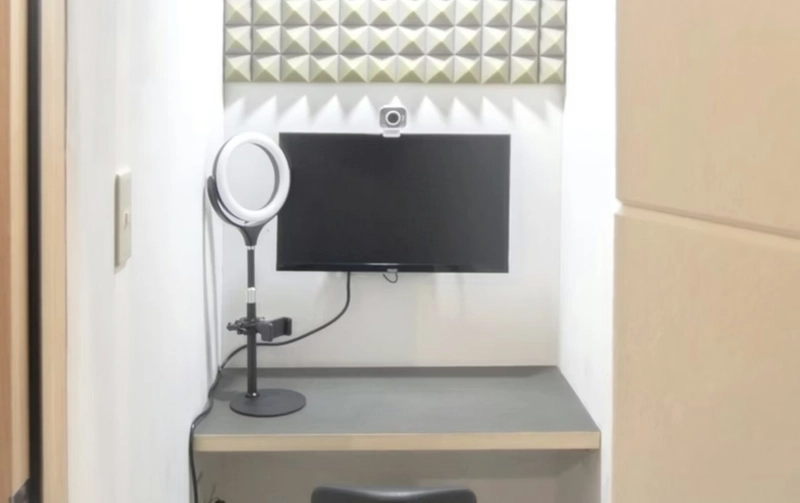
The conditions for the exam environment are strict: “a private space without noise,” “no objects on the desk,” etc. Unfortunately, I didn’t have such an environment at home, so I rented a private room in a co-working space.
Interaction with the proctor is via chat, so there is no verbal conversation. However, it seems that even slight noise will be pointed out, so choosing a private room is the safe bet.
Instructions from the proctor come in your native language (Japanese in my case), but they seem to be using machine translation, as some instructions were a bit confusing. I assumed the proctor was non-Japanese, so I replied in English (just basic things like “OK,” “thanks,” etc.).
Following the proctor’s instructions, I used the webcam to show the room (ceiling, floor, desk, walls), both ears, both wrists, and my powered-off smartphone. It took about 15 minutes to actually start the exam.
Also, I didn’t use the external monitor at the co-working space, but in retrospect, having a larger workspace would have made things easier, so I probably should have used it.
During the exam, I didn’t really feel the presence of the proctor, but when I was stuck on a problem and touched my chin, a chat message arrived saying, “Please refrain from gestures that cover your face.”
Final Thoughts
Obtaining the CKA was quite a challenge, but I plan to take the CKAD while I still have this momentum. The second half of 2025 was quite rough at my company and I felt zero personal growth, so I want to make up for that in 2026.