
How I Published My Rust Bun Version Manager (bum) CLI to NPM Package

Background
So I built this CLI called bum – a fast Bun version manager written in Rust. Works great locally, but I wanted anyone to just run:
npx @owenizedd/bum use 1.3.3
without installing Rust or compiling anything. That’s going to be freaking awesome right?
Turns out, this is totally possible! I learned about it from this awesome article by lekoarts.de about publishing Rust CLIs on npm using napi-rs.
The Setup
The magic is napi-rs – it compiles your Rust code into native Node.js addons (.node files) for each platform.
- Add napi-rs to your Rust project
# Cargo.toml
[lib]
crate-type = ["cdylib", "rlib"]

[dependencies]
napi = "2.16"
napi-derive = "2.16"

[build-dependencies]
napi-build = "2.1"
- Wrap your CLI in a napi function
/ src/lib.rs
use napi_derive::napi;

#[napi]
pub fn run(args: Vec<String>) -> napi::Result<()> {
    let rt = tokio::runtime::Runtime::new()
        .map_err(|e| napi::Error::from_reason(format!("Failed to create runtime: {}", e)))?;

    // Your CLI logic here
    rt.block_on(async {
        // run_commands(args).await
    });

    Ok(())
}
- Create a simple bin.js
#!/usr/bin/env node

const { run } = require("./index");
const args = process.argv.slice(2);

try {
  run(args);
} catch (e) {
  console.error(e);
  process.exit(1);
}
- Configure package.json
{
  "name": "@owenizedd/bum",
  "bin": "bin.js",
  "napi": {
    "name": "bum",
    "triples": {
      "defaults": true,
      "additional": [
        "aarch64-apple-darwin",
        "x86_64-apple-darwin",
        "x86_64-unknown-linux-musl",
        "aarch64-unknown-linux-gnu"
      ]
    }
  }
}
The Challenges
OpenSSL Cross-Compilation Hell
Linux Docker builds kept failing with OpenSSL errors. The fix? Use pure Rust alternatives:
Use rustls instead of native-tls
reqwest = { version = "0.12", default-features = false, features = ["json", "rustls-tls"] }
Use pure Rust zip compression
zip = { version = "1.1", default-features = false, features = ["deflate"] }
Platform Package Versions Not Syncing
Each platform (darwin-arm64, linux-x64-gnu, etc.) is published as a separate npm package. We forgot to update their package.json versions, so npm couldn’t find them!
Fixed by adding a CI step:
- name: Sync platform package versions
  run: |
    VERSION=$(node -p "require('./package.json').version")
    for dir in npm/*/; do
      node -e "
        const fs = require('fs');
        const pkg = JSON.parse(fs.readFileSync('$dir/package.json'));
        pkg.version = '$VERSION';
        fs.writeFileSync('$dir/package.json', JSON.stringify(pkg, null, 2));
      "
    done
Bun Bundling Breaking Everything
Initially we used bun build bin.ts to compile TypeScript. Bad idea – Bun inlined require(‘./index’) and hardcoded the .node filename with a hash!
// Bun bundled this (broken):
`nativeBinding = require("./bum.darwin-arm64-7xvffnqw.node");`

// Should be (working):
`nativeBinding = require("./bum.darwin-arm64.node");`
Solution: Just use plain JavaScript for bin.js. No bundling needed.
Now anyone can run:
npx @owenizedd/bum use 1.3.3
And it just works on macOS, Linux, and Windows (Hopefully! not fully tested yet in other platform just on my Macbook😅 )
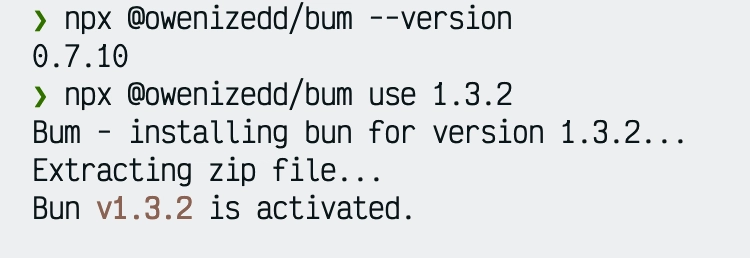
Honestly, there might be still a lot of issues, this progress made me so happy so far. Opus 4.5 has made this possible fast as well.
Resources
- Publishing a Rust CLI on npm – The article that made this possible
- napi-rs Documentation
- bum GitHub Repository
